X to the Z Sony Xperia XZ review

ntroduction

Sony's latest flagship, the Xperia Z6 comes with refined design, improved camera, and a due update in specs. Wait, back up a little there - it's actually called the Xperia XZ this time around but, yeah, the rest of that is true.
Sony Xperia XZ review
When Sony announced the new X-series, some suggested that the Xperia X Performance was meant to take on the likes of the Galaxy S7's and HTC 10's, but we knew that couldn't be the case. Okay, 'suspected' might be more accurate there. Obviously, now we all know that the Xperia XZ is Sony's top-dog for this season, and the Z in its name quickly reveals its ancestry.
Indeed, the XZ has a lot in common with the Z5. The display, for one, is the same size and resolution as the last generation - not necessarily a bad thing, but the XZ also comes with 3GB of RAM - modern-day flagships will crack a condescending smile seeing that in the spec sheet.
No one will laugh at the rest of it, though - top-of-the-line Snapdragon 820 chipset, 23MP camera with a trio of focusing technologies and 4K video recording (one could think the Z is required for that, had it not been for the M5), high-res 13MP front camera, Type-C connectivity, fingerprint reader, IP68 rating, stereo speakers - name one thing missing.

Sony Xperia XZ key features

  • 5.2" 1,080 x 1,920px LCD display with 424ppi, X-Reality for Mobile, Triluminos technology; Gorilla Glass
  • Android OS v6.0 Marshmallow with Xperia launcher
  • Qualcomm Snapdragon 820 chipset: quad-core Kryo CPU (2x2.15GHz +2x1.6GHz); Adreno 530 GPU; 3GB RAM
  • 23MP Sony IMX300 camera, 24mm-equiv. f/2.0 lens, predictive hybrid laser/phase detection/contrast AF, IR sensor for white balance selection, SteadyShot, LED flash, dedicated hardware shutter key; 4K video recording
  • 13 MP front-facing camera with 1080p@30fps video
  • 32GB/64GB of built-in storage and a microSD card slot
  • Single and dual-SIM models (DualSIM has a hybrid slot shared with the microSD card)
  • LTE Cat.9 (450/50 Mbps); Dual-band Wi-Fi a/b/g/n/ac; GPS/GLONASS/Beidou, Bluetooth v4.2
  • Active noise cancellation with a dedicated mic; 24-bit/192kHz Hi-Res audio
  • 2,900mAh non-removable battery, QuickCharge 3.0 support, Qnovo adaptive charging, Battery Care smart charging
  • IP68 rating for dust- and water-proofing
  • Fingerprint sensor (market dependent), stereo speakers, USB Type-C port, 3.5mm headphone jack

Main shortcomings

  • 3GB of RAM when the competition has almost entirely switched to 4GB or 6GB
  • FullHD screen resolution not flagship-grade
  • Fingerprint recognition not available in the US
We're yet to see tangible proof that the RAM race leads to actual usability benefits, but if people were to reason that way, the industry would sit still. It would have been great though, if Sony could have gone with 4GB just to keep up with the times and avoid having reviewers write this paragraph and make them look bad. The extra 1GB can't cost that much, right?
The second count Sony might end up countering with a sequel to the UltraHD Xperia Z5 Premium - 1080p for the mainstream flagship, 2160p for that supposed Premium, and no 1440p at all. Makes sense.
Sony Xperia XZ press images - Sony Xperia XZ review Sony Xperia XZ press images - Sony Xperia XZ review Sony Xperia XZ press images - Sony Xperia XZ review Sony Xperia XZ press images - Sony Xperia XZ review Sony Xperia XZ press images - Sony Xperia XZ review 
Sony Xperia XZ press images
Finally, once again, Americans are denied fingerprint recognition. The hardware is there, apparently the paperwork isn't, so Sony can't offer the feature on the US market. We do have it on our international version review unit, and we'll test it for the rest of you to know, but not before we take a look at the hardware on the following page.

Easy Way to Root Xiaomi Redmi Note 3 with & without Computer

“How to root Xiaomi Redmi Note 3 without computer?”

Chinese electronics giant Xiaomi’s Redmi Note 3 is undoubtedly a huge success in the peer industry. It has been followed by India and some other Asian countries. For this device, you can have different options to choose: 2G, 3G, and 4G network. Also, two types of Xiaomi Redmi Note 3 can be offered: 2GB + 16 GB, 3GB + 32GB.
No matter which version you choose, all of you get a same point: how to root Xiaomi Redmi Note 3 with and without computer.

Here we recommend iRoot software for help. It has strong compatibility for almost all the models of Android phone and tablet. And it can especially works very well to root Xiaomi Redmi Note 3 on Android 5.0.2. Directly go to the step by step guide on rooting your Note 3 with 

How to Root Xiaomi Redmi Note 3 with iRoot
iRoot provides 2 options for you to root your Xiaomi Redmi Note 3 2G/3G/4G on Android 5.0.1. If you need to perform on your Windows computer, choose the PC version for downloading. And make good preparations before rooting. Otherwise, if you want to root directly on your Xiaomi Redmi and get no computer for help, then download the iRoot apk file for Android.  

Option 1: Get iRoot for PC version to root Xiaomi Redmi Note 3 with PC
 version allows high root success rate. Before dive into rooting your Xiaomi Redmi Note 3 with Windows computer, make preparations as these following tips:
A. Prepare a workable Windows computer and a USB cable.
B. Charge your Xiaomi Redmi Note 3 into at least 85% battery life.
C. Install the Xiaomi driver on your Windows computer so that it can recognize your phone;
D. Enable the USB debugging mode from Developer option on Xiaomi Redmi Note 3;
E. Make a backup of your Xiaomi Redmi Note 3;

Then download iRoot for PC version to root your phone.
Step 1: Open iRoot on your Windows computer. Connect your phone to the PC.

Step 2: iRoot will detect your device soon. Then, click “Root” on the interface of iRoot.
Step 3: It will take several seconds to root completely.

Step 4: Done! Just wait for its reboot.

Option 2: Get iRoot for Android to root Xiaomi Redmi Note 3 without PC
In case you don’t want to apply for a Windows computer to root your Xiaomi Redmi Note 3, choose iRoot for Android version for help. Just remember to check “Unknown sources” on your phone. This ensures the complete installation of iRoot on your device.
Step 1: Download the root Xiaomi Redmi Note 3 apk file on your phone.

Step 2: Simply tab on iRoot logo on your phone’s interface. And click “Get Root access” on iRoot interface.

Step 3: Wait for some seconds to get successful rooting

Meizu M1 Note Review


After Xiaomi, OnePlus, Oppo and Vivo, Chinese smartphone brand Meizu has made its Indian debut with its M1 Note smartphone. The phone made waves when it was first launched due to its Apple's iPhone 5C-esque design.

However, looking beyond the form factor, the phone offers a good set of features including a full-HD display and 4G support at a sub-Rs 12,000 price. Does it have the potential to be the best budget smartphone? We try to find out in our review...

Build and design

The Meizu M1 Note takes inspiration from the likes of the iPhone 5C with its polycarbonate unibody design, rounded corners and edges and colour options. Even the speaker grill at the bottom edge and the pill shaped plastic buttons remind us of Apple's low-cost iPhone. It comes with a bigger, 5.5-inch display though, which also leads to a much bigger footprint.

We got a white coloured unit of the M1 Note that sports a glossy finish which is slightly prone to smudges but feels soft and nice to touch (the curved wrap-around panel is non-removable). The back sports a camera lens and a dual-LED flash and some Meizu branding.

The Meizu M1 Note is able to fit a large 5.5-inch display without looking like a giant slab thanks to the narrow bezel at the sides. We still don't like the placement of the Power button that sits at the top edge. It's difficult to reach and makes one hand use difficult. The 3.5mm headset jack is also placed at the top while the micro-USB port is at the bottom. The hardware keys offer good tactile feedback.

Unlike most Android smartphones, the Meizu M1 Note has a single capacitive touch Home button just below the display (no prizes for guessing where we've seen this before). The sim card tray is at the right edge and has slots for two micro-sim cards (only the first slot supports 4G sims).

While the design is not really original, we have to admit that the Mezu M1 Note is a well built device that scores well in the looks department.

Display
Meizu M1 Note sports a 5.5-inch Sharp/AUO full HD (1920x1080p) display with IGZO technology and Corning Gorilla Glass 3 protection. We have to say this is one of the best displays we've seen at this price point. The colours looked vivid and natural, and viewing angles were really wide. Text and graphics looked crisp and sharp and sunlight legibility was optimum. Brightness levels were also impressive.

Software
The Meizu M1 Note runs Flyme OS 4.2 which is essentially a heavily customised version of Android 4.4 KitKat.Just like most Android UI skins on Chinese devices, the Flyme OS lacks an app drawer and instead all app icons are spread across the home screens.

If you're coming from stock Android, you'll find the difference in UI more stark. Navigation works in a slightly different way on Meizu's OS. There are no back or menu or app switcher keys on the home screen. You see the back button only when you're inside an app placed on a white band at the bottom of the screen. With third party apps this looks odd and makes the UI appear inconsistent.

The Home button takes you to the home screen and long tapping it locks the screen.

There's no app switcher button and to see the running apps menu you need to swipe from the bottom of the screen. There's no visual cue for the same which makes the UI unintuitive.

At some places, Meizu has tried to distance its UI as much as possible from stock Android. For instance, the settings menu has unconventional placement of sub-menus. The UI can be themed but the themes store is in Chinese. Also, a number of Google apps including Gmail are not pre-installed on the phone and Meizu also bundles its own app store called AppCenter in addition to the Play Stoore.

Camera
The Meizu M1 Note sports a 13MP rear camera with dual-LED flash and a 5MP front facing camera. The camera app lets you swipe through manual mode in addition to Panorama, Auto, Light field (HDR), Slowmotion and beauty modes. The manual mode offers granular settings for ISO, focal length, shutter speed, and exposure compensation.

Images captured by the camera in day light turned out decently well with little noise and good contrast. At times it did miss out on detail and white balance was a little off.

Images shot in low light had more noise but managed to capture more light.

The front camera takes decent pictures and can also make you look good in selfies thanks to beauty settings for eyes, slim face, smoothing (sic) and whitening modes which have individual sliders so that you can make the right amount of adjustments. There's even a Dressing room feature to apply more effects!

The phone camera can shoot up to full-HD video and the output was above average.

Performance

The Meizu M1 Note is powered by a 1.7GHz octa-core MediaTek MT6752 processor with 2GB RAM. The phone is extremely responsive and snappy with its Flyme OS software being optimized for the hardware.

We did not experience any lag whatsoever while navigating through the home screen and menus, launching apps and switching between them. Scrolling was smooth and the phone was able to play Full HD video files without any problems.

We were able to play games like Subway Surfers, Asphalt 8 and Riptide GP 2 without encountering frame drops or freezes.

In synthetic benchmarks, the phone scored 40,664 in Antutu, 14,781 in Quadrant, 10,684 in 3DMark's Ice Storm Unlimited and 57 in Nenamark 2 benchmark tests. Some of these scores are much better than phones with MediaTek octa-core processors priced similarly. However, we do not recommend a phone based solely on benchmarks as real world performance is different at times.

Of the 16GB internal storage, about 14.5GB is available to the user. Unfortunately, you can't expand the storage as the phone doesn't come with a memory card slot which is such a pity. However, you can plug in a flash drive with a USB on-the-go support.

Meizu M1 Note offers Bluetooth, NFC, Wi-Fi, 4G and GPS connectivity options. It offers good call quality and signal reception and we did not encounter issues while making calls even in areas where cell signal is relatively weaker. The phone was able to lock to GPS without any hiccups. While the phone only supports FDD LTE Band 3 4G, we were able to latch on to a 4G signal in Delhi as Airtel has deployed its network on two bands. If your city has only 2300Mhz TD-LTE 4G network then the M1 Note will not support it.

The phone also doesn't offer FM radio functionality. However, we were able to play most popular video and audio file formats.

The external speaker outlet on the phone is located at the bottom edge and we found the sound output to be too soft. At times we ended up missing calls when the phone was not in our pocket. It is not stereo and there was slight distortion at higher volume levels.

The phone is backed by a 3,140mAh battery (non-removable) and will last you a full working day (11-12 hours) if you put the screen brightness at the highest level and use 4G data all the time. You'll be able to make about 1-2 hours of phone calls, play some casual games and browse the web in this time period.

Verdict
At Rs 11,999, the Meizu M1 Note offers a plethora of features. In fact, it's one of the most loaded offerings with a full-HD display, octa-core processor and 2GB RAM, available under the Rs 12,000 price point.


The phone has its quirks including a sub-par external speaker, unintuitive UI elements and an unoriginal design. It lacks a microSD card slot and doesn't come with the latest version of Android. Also, we still don't know much about the strength of Meizu's service network in India.


Looking at alternatives, we feel the Lenovo K3 Note will give the phone some tough competition. While we haven't been able to use the phone for a longer period, we were impressed with the K3 Note during our brief time with the device. Look out for our full review of the phone. The Xiaomi Mi 4i is also another good option but it doesn't support microSD cards and was plagued by heating issues when we tested it.

Kumpulan Custom ROM Terbaik Android


Jika kamu adalah seorang pengguna Android, mungkin kamu pernah mendengar istilahcustom ROM, sebuah sistem operasi Android yang telah dimodifikasi sedemikian rupa.Custom ROM merupakan sebuah firmware alternatif pengganti firmware bawaan smartphoneAndroid yang dikembangkan oleh developer pihak ketiga.
Karena Android merupakan sebuah sistem operasi open source, maka semua orang dapat mengutak-atik source code yang ada di dalamnya. Sehingga, mereka yang mengerti mampu menciptakan sistem operasi mobile sendiri berdasarkan platform Android.
Untuk dapat memasang sebuah custom ROM ke dalam perangkat Android, kamu membutuhkan pengetahuan tambahan yang tidak begitu sulit untuk dikuasai. Namun, perlu diketahui bahwa tidak semua custom ROM mendukung smartphone yang kamu miliki.
Dalam situs resmi sebuah custom ROM, biasanya terdapat sebuah daftar yang berisi perangkat smartphone atau tablet yang kompatibel. Satu hal yang perlu kamu perhatikan adalah: Jangan pernah menggunakan custom ROM pada perangkat yang tidak kompatibel, karena hal ini dapat mengakibatkan perangkat kamu berpotensi tidak bisa digunakan lagi.
Melihat kenyataan tersebut, kami menganjurkan kamu untuk selalu membaca petunjuk pemasangan yang terdapat dalam situs resmi custom ROM yang akan digunakan serta, selalu membuat backup data yang ada di dalam smartphone kamu.
Ketika kamu sudah mulai mengerti dan ingin bertualang dengan mencoba berbagai customROM yang ada, maka daftar ini sangat cocok bagi kamu. Kali ini kami akan memilihkan beberapa custom ROM terbaik yang bisa kamu coba dan gunakan.
Salah satu penilaian utama kami dalam merangkum daftar ini adalah stabilitas custom ROM agar bisa kamu andalkan dan gunakan sehari-hari tanpa menemui suatu masalah. Faktor lainnya adalah pilihan fitur serta keunggulan custom ROM tersebut dari custom ROM lainnya yang ada di pasaran.

PAC-man ROM

pac-man-rom-800
Seperti halnya karakter Pac-Man yang memakan apa saja yang ada di hadapannya, demikian juga dengan PAC-man ROM. Orang-orang menyebutnya sebagai custom ROM all-in-one, karena ROM ini memadukan fitur-fitur dari ROM terbaik yang ada di luar sana, seperti CyanogenMod, ParanoidAndroid, dan AOKP.
ROM ini juga dikenal karena kestabilannya, sehingga kamu tidak akan mengalami banyak kendala saat menggunakannya. Karena PAC-man mengombinasikan tiga custom ROM terbaik, kamu wajib mencobanya. Setidaknya satu kali saja, untuk mengetahui sendiri apakah ROM ini sedahsyat yang dibicarakan orang-orang.

Liquid Smooth

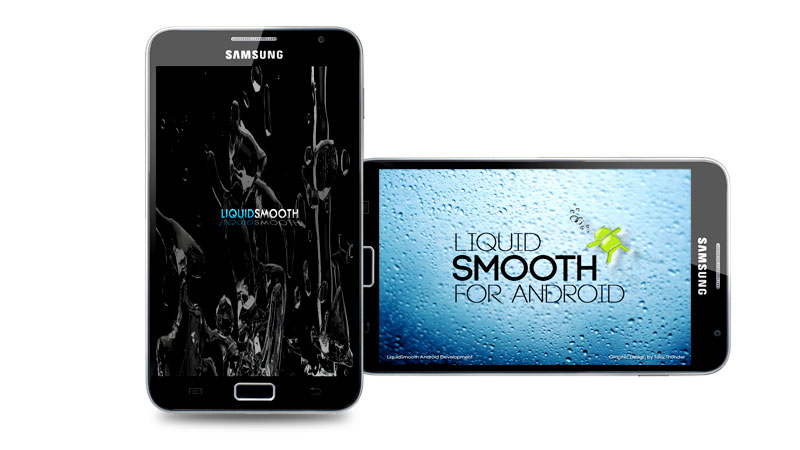
liquid-smooth-800
Umumnya, custom ROM yang ada mengombinasikan fungsi dan tampilan. Tema-temanya menarik, menunya simpel, dan dapat dikustomisasi. Liquid Smooth sedikit berbeda. ROM ini mengedepankan performa dan fungsi, ketimbang nilai estetika. Namun, bukan berarti tampilan ROM ini jelek, karena kamu tetap dapat membuatnya seatraktif custom ROM yang lain.
Apa yang ditonjolkan Liquid Smooth adalah opsi kustomisasinya. Kamu dapat mengutak-atik pengaturan paling dasar. Misalnya, jika kamu terganggu ketika layar smartphone Androidmu menyala saat dicolok ke charger, kamu bisa membuatnya tetap mati. Selain itu, fungsioverclocking juga dibuat mudah, ideal bagi kamu yang ingin mendapatkan performa maksimal saat main game.

CyanogenMod

CyanogenMod-800
CyanogenMod menjadi pilihan kami karena kestabilan yang ditawarkan dan kecepatan updateyang diberikan oleh para developernya. CyanogenMod merupakan salah satu custom ROM pertama yang muncul ketika sistem operasi Android masih sangat muda. Di dalam situs mereka, CyanogenMod memberikan daftar smartphone yang kompatibel dan panduan memasang custom ROM ini dalam cara yang mudah.
Ciri khas custom ROM ini adalah tampilan yang mendekati Android asli, namun tanpa aplikasi bawaan yang memberatkan. Memang, CyanogenMod menyertakan beberapa fitur baru dan aplikasi-aplikasi tambahan. Namun semua itu tidak terlalu memberatkan sistem, seperti yang terdapat pada firmware bawaan smartphone Android dari Samsung.
Melihat kenyataan ini, banyak pengguna yang menggunakan CyanogenMod karena ingin menghapus berbagai aplikasi “sampah” yang ada di dalam smartphone mereka.
Berkat hal ini pula, CyanogenMod dipercaya untuk membuat sebuah sistem operasi alternatif bagi produsen smartphone OnePlus. Bentuk kerja sama ini memungkinkan custom ROM CyanogenMod untuk dipasang secara default dalam smartphone OnePlus One. Bukan hanya itu, beberapa media di luar negeri melaporkan bahwa Microsoft tertarik dengan CyanogenMod dan telah mengucurkan investasi ke dalam tim CyanogenMod.

MIUI

miui-roms-800
MIUI dari Xiaomi merupakan salah satu custom ROM yang mempunyai tampilan desain paling indah. Sering dibandingkan dengan desain sistem operasi iOS dari Apple, MIUI justru mampu menggaet pengguna secara cepat. Terlepas dari tampilan yang cantik, MIUI merupakan sebuah custom ROM yang cukup berat bagi memori RAM smartphone kamu. Bahkan, pemakaian memori RAM tersebut hampir serupa dengan yang terjadi pada skinTouchwiz dari Samsung.
Akan tetapi, pemakaian RAM yang besar tersebut tidak membuat para pengguna MIUI gentar. Hal ini dibuktikan dengan banyaknya komunitas yang bermunculan di tiap-tiap negara yang menginginkan sistem operasi ini tersedia pada smartphone Android yang mereka miliki.
Hal ini juga membuat pengembangan MIUI lebih banyak dilakukan oleh penggunanya alih-alih developer resmi, sehingga kamu akan menemukan banyak sekali versi MIUI yang bukan dibuat oleh developer resmi MIUI.
Bagi kamu para pecinta kustomisasi, MIUI menyediakan sebuah cara agar kamu mampu mengubah tampilan keseluruhan perangkat dengan mudah, yaitu dengan menggunakanplatform store mereka yang menjual berbagai tema, baik itu dari pengguna lainnya ataupun dari developer resmi MIUI.

SlimRoms

slims-rooms-800
Berbeda dengan MIUI yang memerlukan kapasitas RAM cukup tinggi, SlimRoms berusaha memberi kamu sebuah custom ROM ringan yang memakan RAM sekecil mungkin. Hal tersebut bisa dicapai berkat “perampingan” sistem operasi Android dengan menghapus beberapa fitur yang membuat berat sebuah sistem, tanpa harus mengorbankan kestabilan sistem operasi tersebut.
Jika kamu belum puas dengan perampingan yang dilakukan oleh tim SlimRoms, kamu dapat menghapus sendiri fitur-fitur yang tidak kamu suka atau gunakan melalui fitur SlimCenter yang terdapat di dalam menu pengaturan SlimRoms. Hal-hal yang telah disebutkan tersebut membuat SlimRoms menjadi custom ROM pilihan utama bagi para pemilik perangkat lama yang spesifikasinya sudah agak kuno.

Paranoid Android

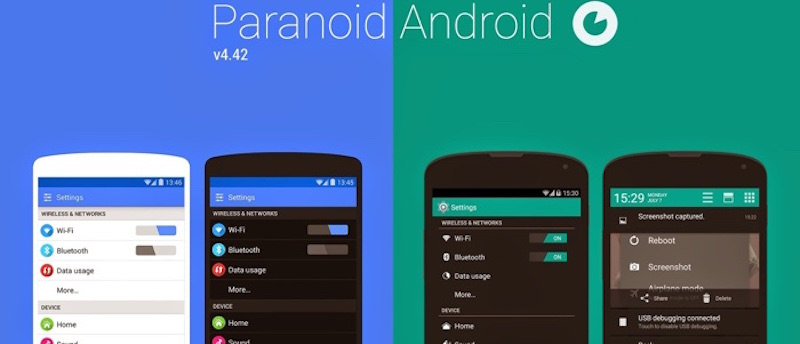
paranoid-android-800
Serupa dengan apa yang ditawarkan oleh CyanogenMod, Paranoid Android berusaha memberi kamu sebuah tampilan yang hampir menyerupai Android stock, namun ditambahkan dengan fitur-fitur lanjutan yang sangat banyak. Kami menganjurkan custom ROM ini jika kamu memang merupakan seorang pribadi yang ngulik dan selalu ingin tahu.
Fitur-fitur tersebut antara lain: Pie Control yang memungkinkan kamu melakukan navigasi dengan lebih mudah, mengubah warna masing-masing aplikasi, atau berganti mode antara tablet, smartphone, dan phablet. Lebih hebatnya lagi, meskipun bayak sekali fitur yang disertakan, Paranoid Android masih bisa berjalan dengan gegas meskipun jika dipasangkan pada sebuah smartphone yang memiliki spesifikasi rendah.

AOKP

aokp-unicorn-800
AOKP merupakan singkatan dari Android Open Kang Project yang memberi kamu sebuahcustom ROM dengan fitur melimpah. Custom ROM dengan logo unicorn ini mempunyai nama yang merupakan sebuah plesetan dari singkatan AOSP. Awalnya, nama tersebut hanyalah sebuah lelucon. Namun, ketika semakin banyak orang menyukai nama AOKP, tim pengembang memutuskan untuk menggunakan nama ini.
AOKP sendiri dipenuhi dengan beberapa fitur standar dan kosmetik. Namun salah satu fitur yang kami suka adalah kemampuan tape to wake. Ketika kamu sedang meletakkansmartphone di atas meja, kamu hanya perlu mengetuk layar smartphone untuk membangunkannya dari mode sleep. Selain itu, AOKP menyediakan berbagai fitur-fitur pengaturan kecil yang mungkin memerlukan ketelitian kamu ketika mencari di dalam sistem operasi ini.

Jika kamu ingin pengalaman menggunakan perangkat Android yang berbeda, maka penggunaan custom ROM merupakan salah satu jalan bagi kamu. Sudah menggunakan salah satu custom ROM di atas? Atau mungkin kamu mempunyai rekomendasi custom ROM lain? Sampaikan pada kolom komentar di bawah.


Copyright @ 2016